
Publisher Portal
(last updated: Nov 12, 2025)
This dashboard gives you visibility into placement performance, including impressions, clicks, CTR, RPM, and estimated revenue, so you can see what’s driving engagement and earnings across placements, platforms, and timeframes.
Accessing Your Account
- Ensure a member of the Kodo team has granted you access.
- Go to publishers.thanks.co.
- Create your account (or sign in if you already have one).
What You Can Do
- View estimated revenue and engagement across all placements.
- Change the time grouping to day, week, or month.
- Download data for further analysis.
- Use the Placement dropdown to filter by specific Placement IDs for granular insights.
Key Metrics Explained
- Impressions: Number of experience views on your site (Splash / Embed / Smart).
- Clicks: Number of times users clicked on an ad.
- CTR (Click-Through Rate):
Clicks ÷ Impressions × 100. - RPM (Revenue per Mille): Revenue per 1,000 impressions.
- Estimated Revenue
- Approved: Revenue confirmed and ready to be paid.
- Pending: Revenue awaiting confirmation from advertisers.
- Declined: Transactions not approved.
Example Report
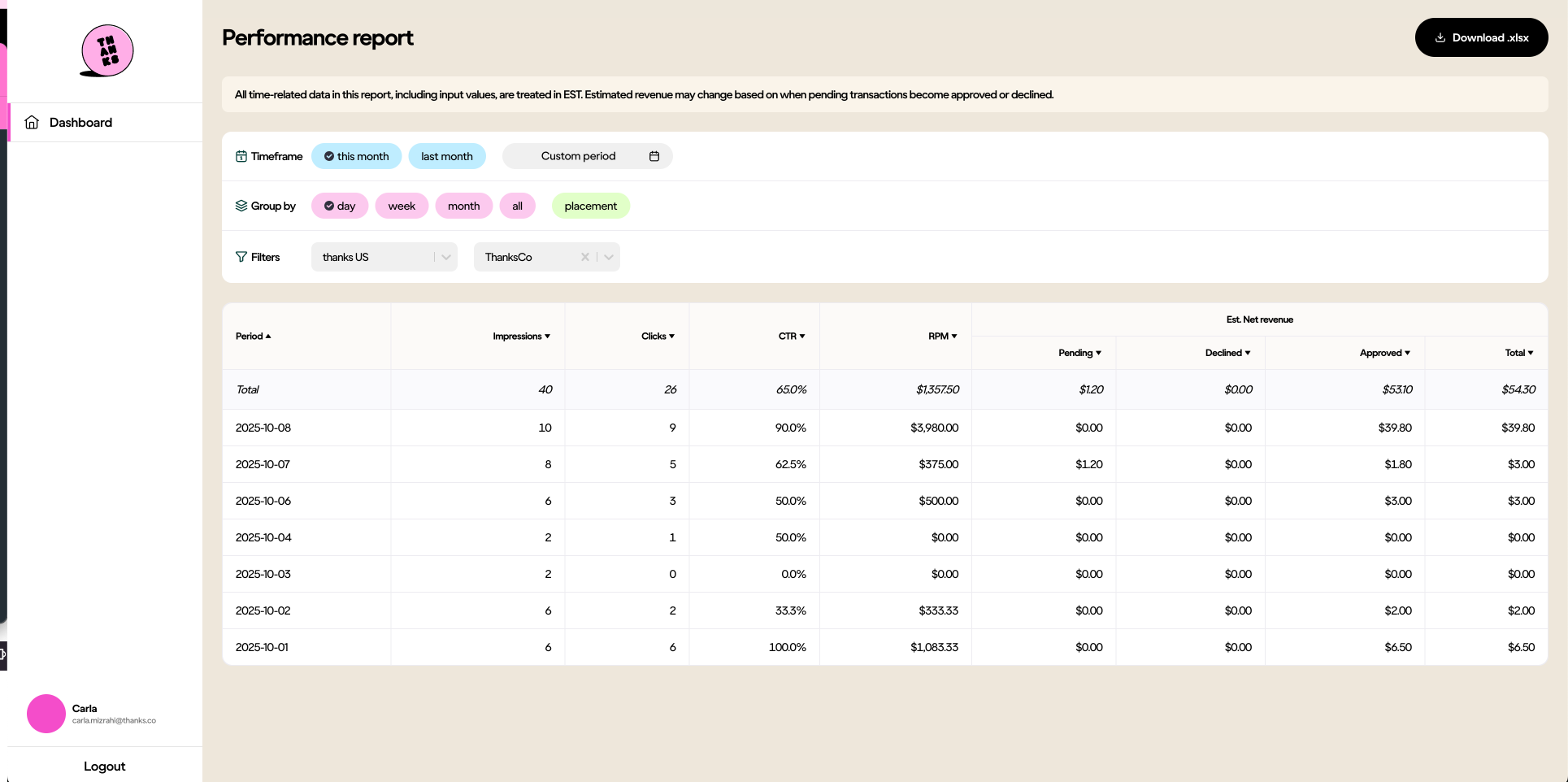
Billing reports are separate. Use this dashboard for performance tracking, not payment reconciliation.
All time-related data in this report (including inputs) is based on these regional timezones: Australia > Sydney, US > New York, and UK > London. Estimated revenue may change as pending transactions move to approved or declined.
Need Help?
Reach out to your Kodo contact or Carla Mizrahi via Slack or email: [email protected]
Updated 6 days ago
Did this page help you?